
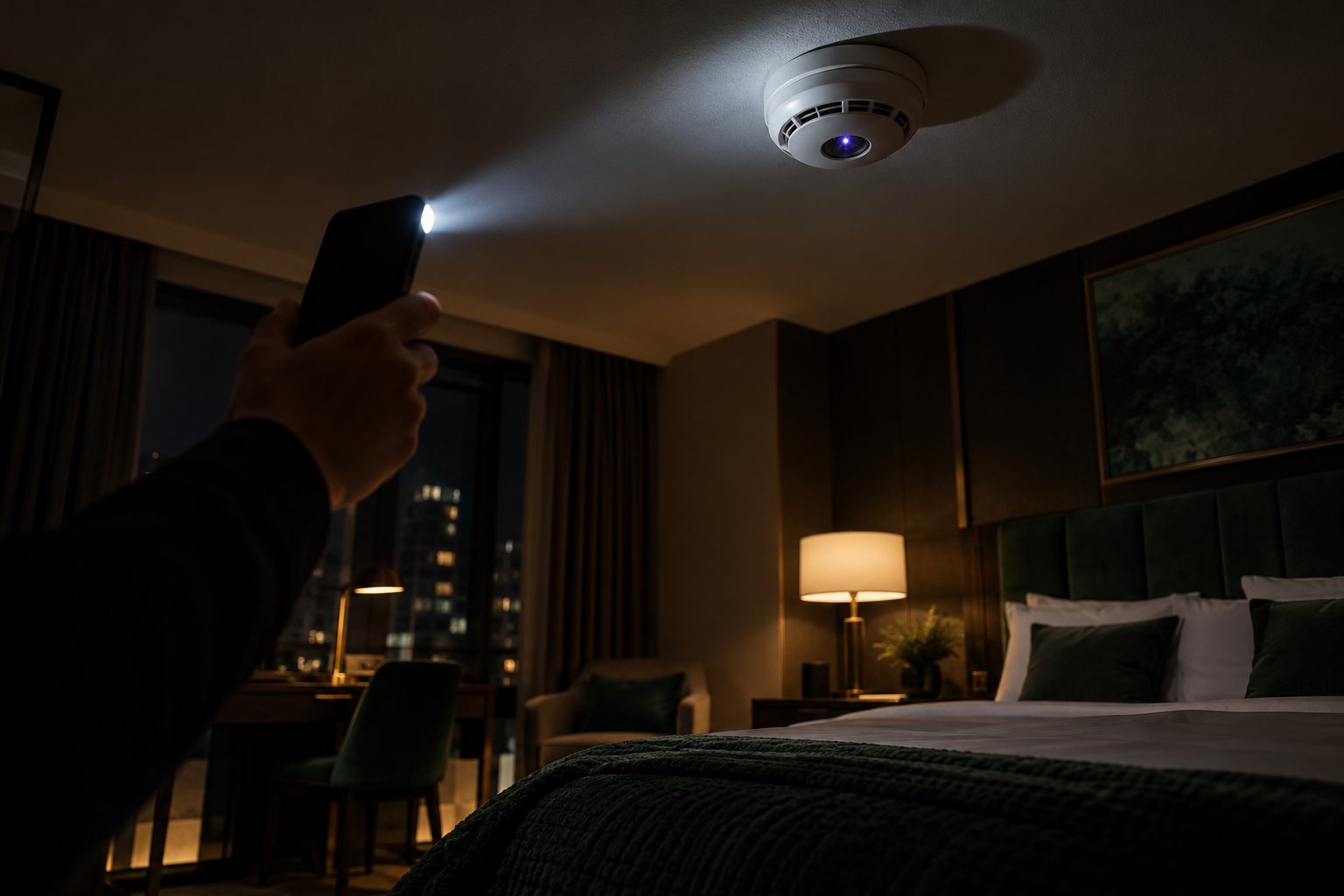
To detect a hidden camera, look first at anything that faces the bed, the desk or the seating area and has a clear view: smoke detectors, clocks, chargers, TVs, air vents, picture frames and decorative items. Then darken the room and sweep it slowly with a torch, looking for the small reflection of a lens, and check the Wi-Fi and Bluetooth devices around you. This catches many careless installations, but not all; a determined installation needs a professional search.
This guide covers where hidden cameras are concealed, a 10-minute check you can do yourself in a hotel room, rental or office, and what to do if you find one.
Key facts
- Most common hiding places: smoke detectors, alarm clocks, USB chargers, TVs, air vents, picture frames, plants and ceiling fittings
- Size: a working camera lens can be smaller than a pinhead
- Best DIY method: a slow torch sweep in a dark room, looking for lens reflections
- Network check: an unknown camera may appear in your phone's Wi-Fi or Bluetooth list, but many record to a memory card and connect to nothing
- Short-term rentals: Airbnb has banned indoor security cameras in listings worldwide since April 2024, so any camera inside a rental should be reported
Where hidden cameras are usually concealed
A camera needs a line of sight to what it is watching, and usually a power source. That narrows the search. Check anything that:
- Faces the bed, shower, desk, sofa or meeting table
- Is plugged in permanently, such as clocks, chargers, adapters, speakers and air fresheners
- Is mounted high, such as smoke detectors, sprinkler heads, light fittings and ceiling tiles
- Has a small dark hole or glossy spot where a lens could sit
The items most often used:
| Item | Why it is used |
|---|---|
| Smoke detector | High up, wide view of the room, rarely touched |
| Alarm clock or speaker | Plugged in, faces the bed or seating |
| USB charger or adapter | Always powered, easily overlooked |
| TV, set-top box or screen | Faces the room, has gaps and dark plastic |
| Air vent or ceiling grille | Gaps hide a lens, view from above |
| Picture frame, book or plant | Positioned freely to aim at a target |
In offices, cameras are aimed at screens, whiteboards and keyboards to capture documents and passwords, not people. A camera found in a ceiling panel of UK government offices in 2026 shows that even well-protected buildings are not immune (our summary).
A 10-minute hidden-camera check
1. Look at the room from the camera's point of view
Stand where you will sleep, shower, work or meet. Note everything that faces you with a clear view. Those items are your priority.
2. Inspect the likely objects
Look closely at smoke detectors, clocks, chargers, vents and decorative items for small holes, glossy dots, mismatched screws or anything that seems newer than the rest of the room. A smoke detector with an unusually small or extra hole, or one placed where smoke detectors are not normally fitted, deserves a closer look.
3. Darken the room and sweep with a torch
Close the curtains and switch off the lights. Hold a torch (your phone torch works) next to your eye and move slowly around the room, looking along the beam. A camera lens reflects the light back as a small, sharp point, often blue or purple. Check from several angles.
4. Check for infrared light
Some cameras use infrared LEDs to see in the dark. In a dark room, look at likely objects through your phone's camera. Many phones' front cameras show infrared as a faint purple or white glow that is invisible to the eye. Not all phones do, and not all cameras use infrared.
5. Check Wi-Fi and Bluetooth
Look at the list of Wi-Fi networks and Bluetooth devices around you for unexpected names, especially ones that suggest a camera. On a network you control, your router's device list can show unknown devices. This finds connected cameras only; many hidden cameras record to a memory card and connect to nothing.
6. Use a lens finder if you have one
A lens finder, a small viewer with red LEDs, makes lens reflections easier to see. It is the most useful part of most "hidden camera detectors". RF mode finds wireless cameras only while they transmit; see do bug detectors work?.
What to do if you find a hidden camera
- Do not touch or unplug it. You may destroy evidence, and you will alert whoever placed it.
- Photograph it in place, along with its position in the room.
- Leave the space and move to somewhere private.
- Report it: to hotel management and the police for a hotel room; to the platform and the police for a rental; to your security team, lawyers and, where appropriate, the police for an office.
- Assume there may be more. Where one camera is found, a second device, including audio, is common.
Read our full guide: found a listening device or tracker? What to do first.
Hotel rooms, rentals and offices: what is different
- Hotel rooms: most risk comes from people with access to the room. Senior travellers and delegations often have suites swept on arrival, after the room is allocated. See hotel suite bug sweeping.
- Holiday rentals: the host or a previous guest controls the space. Indoor cameras are banned on Airbnb, so any indoor camera is a red flag.
- Offices and boardrooms: cameras target screens and documents. They are typically placed during works, by visitors or by insiders. See office and boardroom sweeps.
- Private homes: cameras are usually placed by someone with regular access. See residential sweeps.
When to call a professional
A DIY check is sensible for a personal stay. It is not enough if you are a senior executive, if confidential meetings will take place in the room, if you are in a dispute, or if you have already found something. A professional TSCM sweep combines lens detection with RF analysis, non-linear junction detection, thermal imaging and a physical search, and finds both cameras and audio devices. For planned work in Europe it typically costs €2,500–5,000 per team-day plus travel.
Bureau Securitas provides TSCM sweeps across London and every EU capital. Contact us from a safe device at tscm@bureausecuritas.com. NDA on request.
Frequently asked questions
How can I tell if there is a hidden camera in my room?
Check everything that faces the bed, desk or seating area, especially smoke detectors, clocks, chargers, TVs and vents. Then darken the room and sweep slowly with a torch, looking for the small reflection of a lens, and check the Wi-Fi and Bluetooth devices around you.
Can my phone detect hidden cameras?
Partly. Your phone torch helps you spot lens reflections, many phones' front cameras show infrared light from night-vision cameras, and your Wi-Fi and Bluetooth lists can reveal connected cameras. A phone cannot find cameras that record to a memory card and have no infrared light.
Where are hidden cameras usually placed in hotel rooms?
In smoke detectors, alarm clocks, USB chargers, TVs, air vents, picture frames and ceiling fittings, usually pointing at the bed, the bathroom or the desk.
Can a smoke detector be a hidden camera?
Yes. Smoke detectors are a common disguise because they are high up, have a wide view and are rarely touched. Look for an unusual extra hole or a detector in a place where one would not normally be fitted.
Are cameras allowed in Airbnb rentals?
Airbnb has banned indoor security cameras in listings worldwide since April 2024. Outdoor cameras must be disclosed and may not look into indoor spaces. Report any indoor camera to Airbnb and the police.
What should I do if I find a hidden camera?
Do not touch or unplug it. Photograph it in place, leave the room, and report it to the hotel or platform and the police, or to your security team and lawyers for an office. Assume there may be other devices.